Microsoft release virtual network encryption in GA. It was not very intuitiv to me at first to enable it so here is a quick walkthrough on how to do to.
Prerequisites:
- A virtual network in a supported region. List over supported region can be found here.
- A virtual machine in a supported region and supported SKU. List over supported SKUs can be found here. Accelerated Network needs to be enabled. More information about accelerated network here.

Enabling the Virtual network encryption:
- Navigate to the virtual network and under Overview -> Properties -> Security you can enable the encryption.
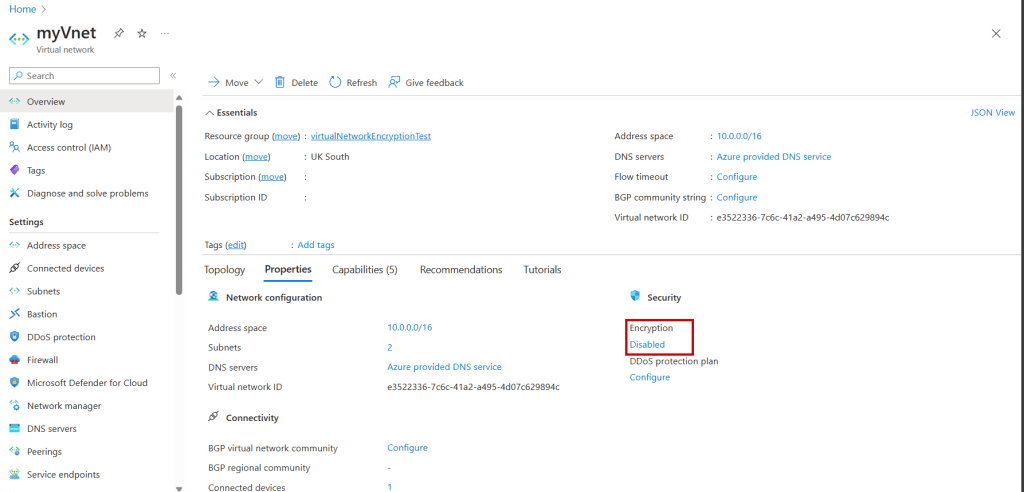
- Restart the Virtual Machine to enable the encryption
You can also verify the connection with using the new virtual network flow log, still in preview but it is getting there. More information about that can be found here.
 Håvard Løkensgard
Legg igjen en kommentar