Intro
Managing networks in Azure can pose significant challenges due to the multitude of resources involved. Maintaining control over these resources further amplifies the complexity. The entire system hinges on the network functioning as intended. Add security into the mix, and you’re dealing with a highly complex, high-risk component of your architecture. Azure Virtual Network Manager (AVNM) aims to enhance security and simplify the management of intricate, large-scale network topologies in Azure
Capabilities
There are three main capabilities in AVNM right now.
- Connectivity. Can create a mesh or hub-spoke topology for you with just a few clicks
- Security admin rules: Basically a NSG on the virtual network level
- Routing configuration: UDR managed from a sentral point
When testing the capabilities I used a simple architecture using a hub-spoke topology with five virtual network. Since AVNM is going to manage a lot of the network elements. I started out with the following elements.
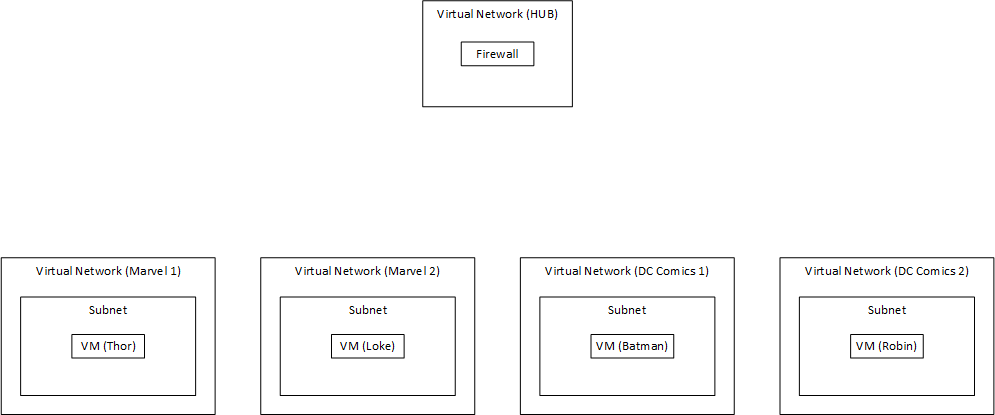
The main idea is to group network together and apply configuration to the network groups. For me this is done by grouping them into Marvel and DC. But you can also group them into production and testing. This is maybe a better use case then comic book references. But I enjoy the last part more when playing around with new tech.
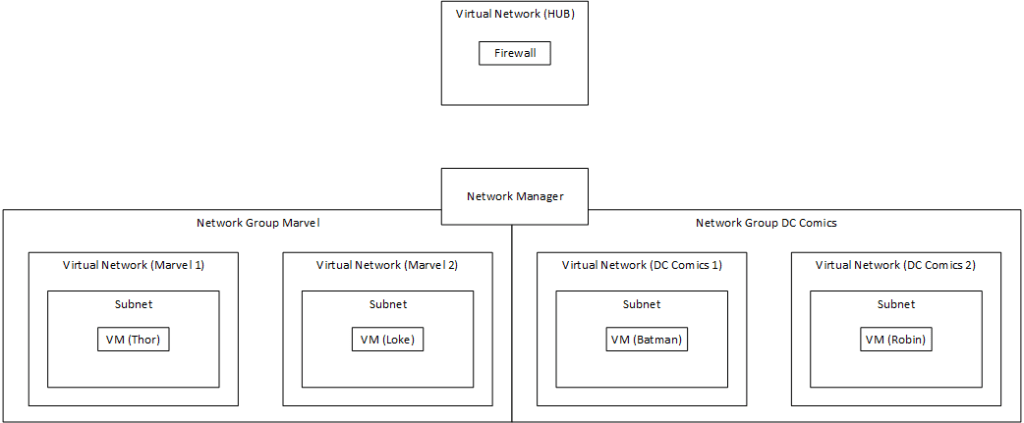
A great little feature Microsoft added here is the possibility for setting up policies to add more virtual network to the groups.
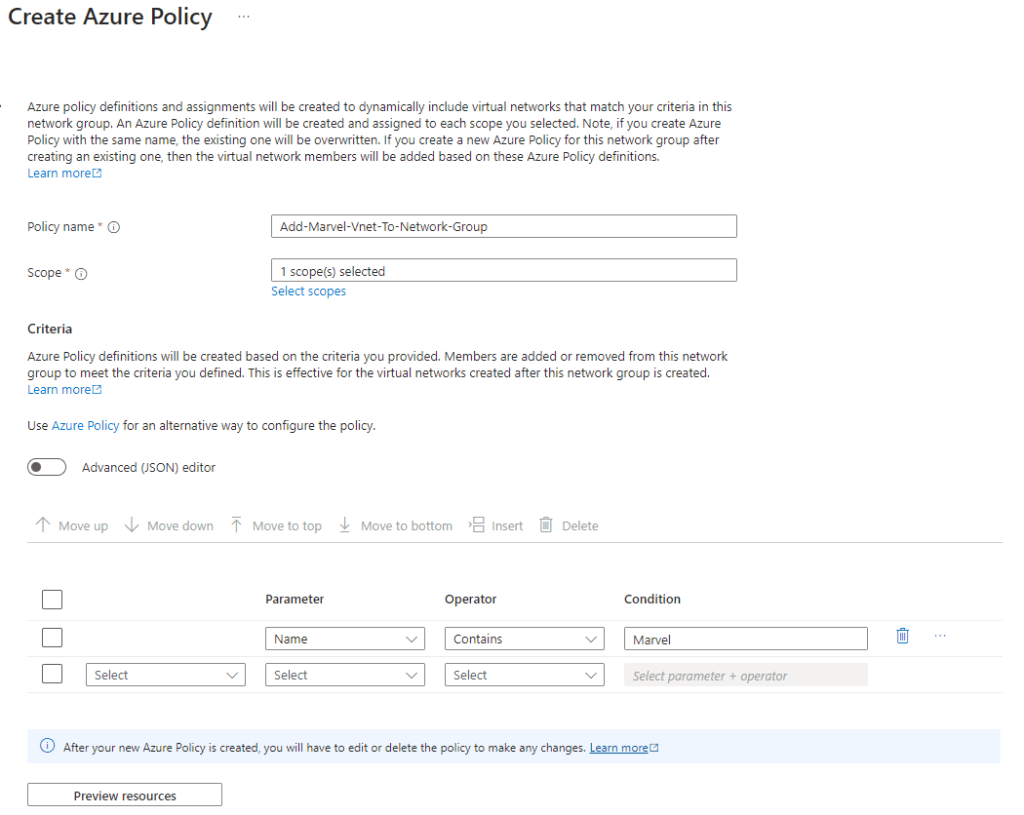
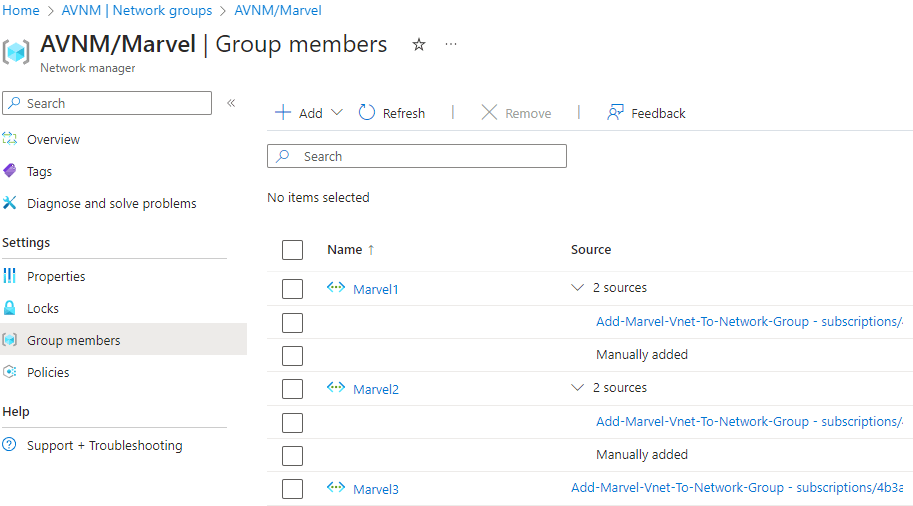
Here I add all virtual network that contains marvel in the name to the Marvel network group. This policy can also be assigned to a management group. If you are using the ALZ approach and have all your virtual network in the corp archetype. This can enforce all the virtual network for the corp archetype to be peered with the hub. It also shows how the network have been added to the group.
Capability: Connectivity
I want to create an hub-spoke topology for this architecture. With the new connectivity feature this is really simle. Two steps
- Create the connectivity deployment
- Deploy the configuration
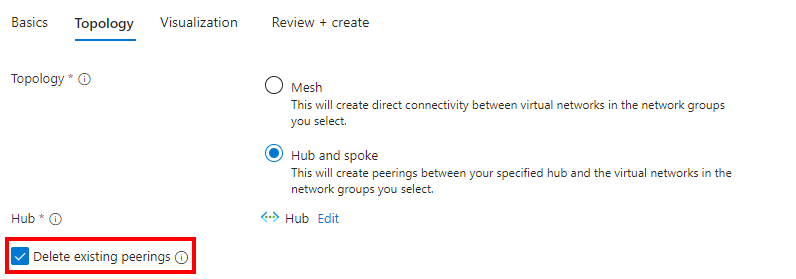
When creating the hub-spoke you only need to choose the hub and check the box that deletes the existing peering. This took a while to deploy. I used 45 minutes for only 4 virtual network to be peered with the hub. That it is a while for the initial setup. I hope this is improved. But it worked!
Capability: Security Admin
This is a nice little feature. «NSG» on virtual network level with the option to bypass the NSG on the subnet level. This features supports three option:
- Deny: The traffic never gets to the NSG
- Allow: The traffic goes to the NSG (this is like before)
- Always allow: This bypasses the NSG
A great use case for the always allow option coule be: Operations like patching, monitoring, backup, sentral managed applications. These sort of services should always be open. This is so that the central IT can do their job. I also see the big security risk for this one. Configuration errors could be a big problem here.
I also like the idea of using the deny action to stop all traffic from one network group to another network group. You can choose destination and source to be a network group for the rules. This is a great feature for dividing production and testing into two different groups or making sure Marvel and DC can’t talk to each other.
Capability: Routing configuration
This feature is still in preview, so a lot could change before it hits GA. This is probably a good thing. This feels not as polished and easy to use as the other capabilities. It also seams like there are some bugs with it. First let us see what it can do.
Routing configuration let you deploy UDR to the subnets in the different network groups. My example is that I want network traffic from the subnet to internet to go through the firewall. This was rather easy to set up.
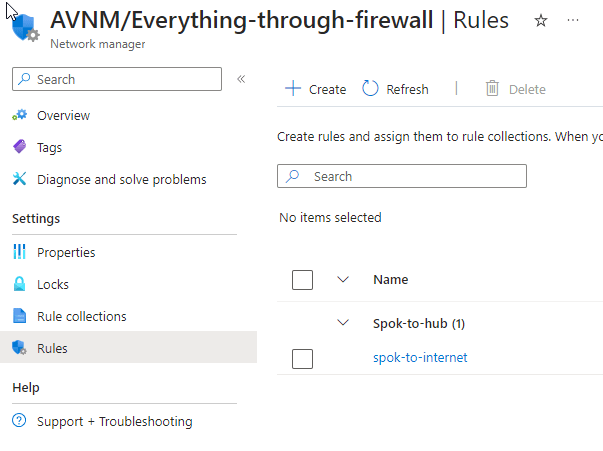
However, this is where things get a little interesting. First thing to know is that the route table is located in a resource group that is managed by the AVNM. This will get a random suffix number and can be view in the same subscription as the AVNM. However since you only can have one route table associated with a subnet you can make change to this even though it is managed by AVNM. If you add routes to the route table directly and not through AVNM. You end up having a route that is only visible in the route table and not AVNM. I can understand that developers that have ownership over their own network should be able to add UDR, but not being able to see those in AVNM makes me a bit worried for debugging.
The view in AVNM:
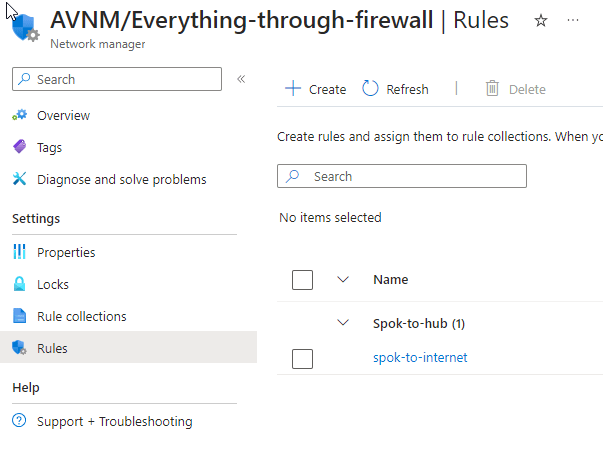
The view in the route table:

The view in effect routes on the virtual machine:

To me this seams like a bug. You should get the complete overview from AVNM. So I hope this feature gets implemented before GA.
Overview
After you have created all of the deployments above you get the following design. The elements marked in red are managed or controlled by AVNM.
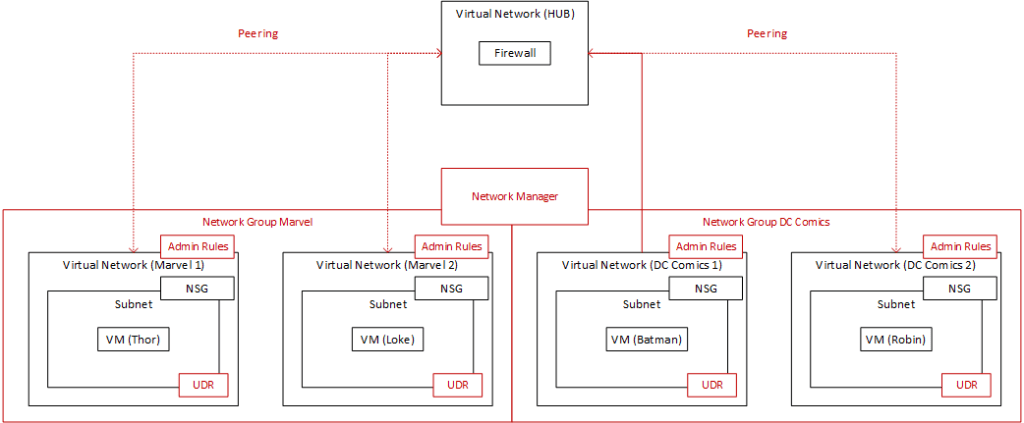
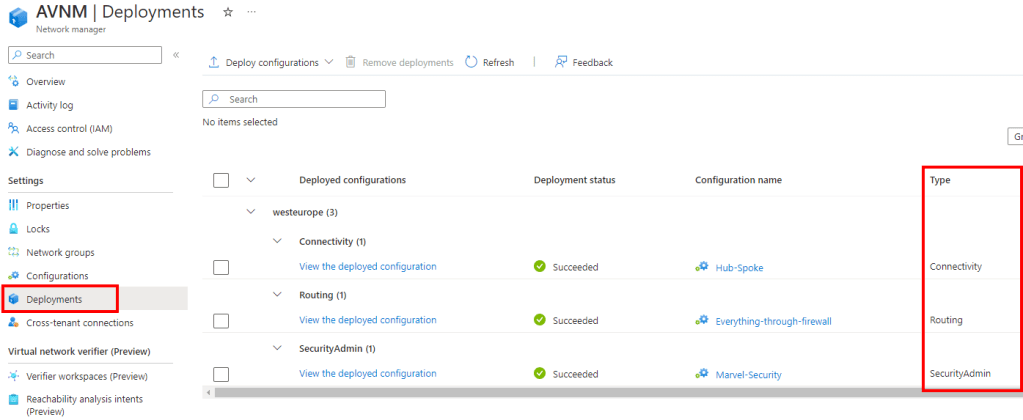
You can also see all of the deployments in an overview in the AVNM.
Cost
This is the big thing for AVNM. For a while now Microsoft have created the idea of subscription vending. One subscription for the application. That means one subscription and one virtual network. This is a great way to scale in Azure. But when Microsoft tells us to go one direction and then create an pricing model where the cost driver is the number of managed subscription. That makes
me a bit meh – why. It is hard to use this when the pricing scales like that.
Example with 10 application:
If we have a subscription for test and one for production we get 20 subscription for 10 application. Development should be done in sandbox, so we leave that outside of this example. This depends on your dev/test/prod strategy.
For on subscription the cost is 73 dollar each month. That scales quickly for 20 subscriptions. Total cost for 20 subscription is 1460 dollars. If you change your dev/test/prod strategy you get away with 730 dollars. That is still a lot of money! This is a linear cost that you need to take into consideration before implementing this.
The good and the bad
Benefits:
- Creates another layer for the network in Azure
- Easier to mange large and complex network across multiple subscriptions
- Maybe higher security
- Better control
- Better insight and information
- Easier to manage central IT operations
Draw backs:
- It costs a lot of money
- Still very early technology
- Not a lot of documentation
- Creates another layer that can be hard to debug
Thoughts
Do I want to use it. Depends on the role I have. For a central IT person that wants to mange and have control over the entire network in azure. Yeah, I would use it. Seams like it would make my job easier.
Cost can be a major issue for this technology. But I also think that companies that need this type of technology also have the money to invest into it. They probably already use a lot of money on debugging the network and making sure that everything is under control. For smaller companies you can do all of the operations yourself, no problem. So don’t throw away your money on this if you are a start-up or a medium size business.
Debugging can also be harder. Since a lot of the management of the network have been moved to AVNM. Debugging only based on the NSG, firewall and UDR is not an option anymore. You need to take into consideration the AVNM configuration. I really hope that the Virtual network verifier that is still in preview can help out with this. I will look more into this in a separate blog post later.
Some good to know points at the end
- You need to deploy the configuration after you have created it… Yeah, I used some time before I understood that… meh
- You need access to the subscription to see the route table that AVNM creates
- Deployments can take a while to finish


 Håvard Løkensgard
Legg igjen en kommentar